

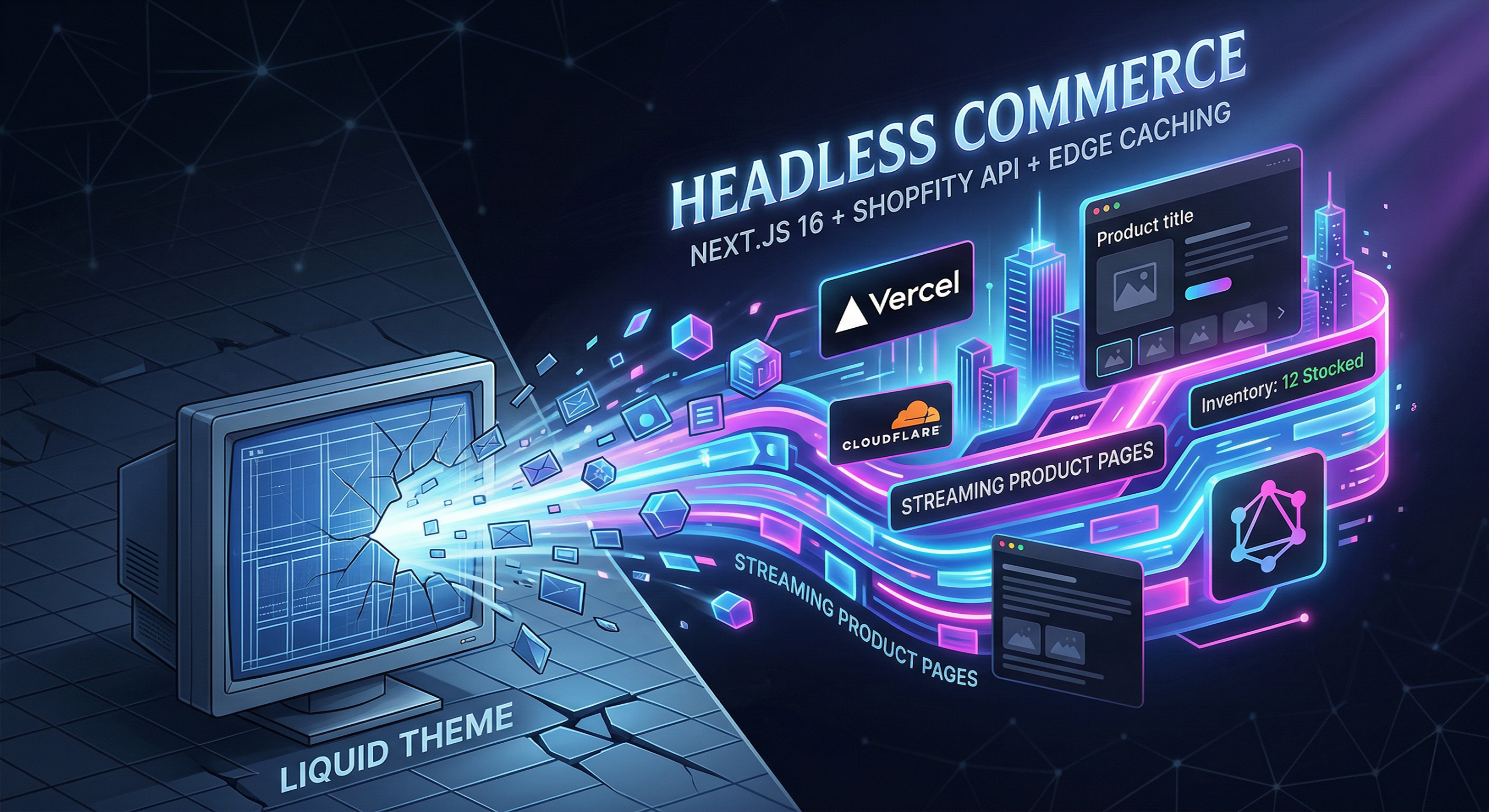
Your Shopify theme is holding you back.
Not because Liquid is broken. Not because Dawn is poorly built. But because you’ve outgrown what a coupled storefront was designed to do. The moment your team wants a custom product configurator, a 3D viewer, personalised recommendations that don’t lag, or a checkout flow that doesn’t feel like a template — the architecture fights you.
Headless commerce with Next.js 16 and the Shopify Storefront API is the answer. And in 2025, it’s never been more mature or more accessible to ship properly.
This post walks through the full architecture: how Shopify’s GraphQL Storefront API connects to a Next.js 16 App Router frontend, how React Server Components and Partial Prerendering (PPR) stream product pages progressively, and how edge caching on Vercel or Cloudflare keeps your Time to First Byte under 200ms globally — even for dynamic content.
The Problem with Liquid Themes at Scale
Where Shopify Themes Break Down
Liquid themes are built for simplicity. They work. For small-to-mid-sized stores with standard product layouts, a well-optimised Dawn theme can hold its own.
But as your store grows, the seams start to show:
Template rigidity. Complex layouts require workarounds that break with theme updates. Every bespoke UI pattern becomes a battle against Shopify’s rendering pipeline. Want a full-screen video hero that transitions into a product page? A multi-step configurator? Custom cart logic? You’re fighting the theme at every step.
JavaScript bloat. Shopify themes load a global JavaScript bundle across every page. You have limited control over what gets parsed, deferred, or removed. Third-party apps compound this — each one adding script tags to the global <head> with no coordination.
No real rendering control. Liquid renders server-side on Shopify’s infrastructure. You can’t choose between static generation, incremental regeneration, or streaming. Your caching strategy is whatever Shopify decides. Your TTFB is whatever their CDN delivers.
Checkout customisation limits. Even on Shopify Plus, checkout customisation is constrained. Shopify’s native checkout is powerful, but the surface area you can touch is limited — and anything beyond standard flows requires workarounds.
The Performance Ceiling — and What It Costs You in Conversions
Here’s the business case for going headless, in numbers.
Every 100ms improvement in page load time increases conversion rate by approximately 1% — a figure backed by research from Google and Deloitte. A one-second delay can reduce conversions by 7%. For a store doing £500k/month, that’s £35k in monthly revenue exposed to load time alone.
Headless storefronts built with Next.js consistently achieve Lighthouse scores of 90+. Traditional Shopify themes average 60–75. The gap is real — and it widens as store complexity increases.
Businesses that have migrated to headless architecture report an average 42% increase in conversion rates after implementation. One fashion retailer that migrated from a Liquid theme to a Next.js headless setup saw mobile page load times drop from 4.2 seconds to 1.1 seconds — a 23% conversion rate improvement in the first month.
The headless commerce market reflects this momentum. It’s valued at $1.74 billion in 2025 and projected to reach $7.16 billion by 2032 at a 22.4% CAGR. This isn’t trend-chasing. It’s where serious commerce investment is going.
What Headless Commerce Actually Means in 2026
Decoupling the Frontend from the Commerce Engine
Headless commerce separates your storefront’s presentation layer from the backend commerce engine. Shopify handles what it’s brilliant at — inventory, payments, orders, fulfilment. Your custom Next.js frontend handles what it’s brilliant at — rendering, user experience, and performance.
The connection between them is Shopify’s GraphQL Storefront API: a purpose-built API that gives you read access to products, collections, and shop information, plus write access to carts, checkouts, and customer accounts. It’s the backbone of every headless Shopify storefront, whether you’re building on Hydrogen, Next.js, or anything else.
This separation of concerns has real architectural benefits. Your frontend can evolve independently of your commerce backend. You can deploy UI updates without touching Shopify. You can swap your CMS, your search provider, or your personalisation engine without re-platforming. And critically, you choose your own infrastructure — which means you choose your own performance ceiling.
Why Next.js + Shopify Storefront API Beats Hydrogen for Flexibility
Shopify’s own headless framework, Hydrogen, is a solid choice when you want Shopify-optimised patterns out of the box. It ships with pre-built components for cart management, analytics, and Shop Pay, and it runs on Oxygen — Shopify’s serverless hosting platform.
But Hydrogen comes with trade-offs. It locks you into Shopify’s tooling. It runs on Remix, not Next.js. And for teams with deep Next.js expertise, or requirements that extend beyond standard ecommerce — multi-platform apps, advanced CMS integrations, custom rendering pipelines — Next.js with the Storefront API gives you more control.
Next.js is the framework that powers parts of Walmart, Target, Nike, and eBay. It has the largest React ecosystem, the most mature App Router, and a deployment story that works beautifully with Vercel’s edge network or Cloudflare Pages. It’s React Server Components, streaming, and ISR — all battle-tested in production.
For teams that already know Next.js, it’s the obvious foundation.
The Real Trade-offs
Being honest about headless matters. It’s not right for every store.
Headless implementations typically cost £15,000–£80,000 to build, compared to £1,500–£8,000 for a custom Liquid theme. The ongoing maintenance burden is higher — you own the frontend infrastructure, deployment pipelines, and framework updates. Many Shopify apps won’t work in a headless setup, requiring custom integrations.
Go headless when your store genuinely needs features that Liquid themes cannot deliver: complex product configurators, immersive UI, multi-platform storefronts, or performance requirements that your current theme can’t meet. Optimise your Liquid theme first. If limitations persist, headless becomes the logical next step.
The Architecture — How It All Fits Together
A production-grade Shopify + Next.js headless storefront has three distinct layers that each own a clear responsibility.
Layer 1 — Shopify as the Commerce Backend
Shopify remains your single source of truth for all commerce data. Products, variants, inventory, pricing, discounts, customer accounts, cart management, and checkout all live in Shopify and are accessed via the Storefront GraphQL API.
// lib/shopify.js — base fetch utility
export async function shopifyFetch({ query, variables }) {
  const endpoint = `https://${process.env.SHOPIFY_STORE_DOMAIN}/api/2025-10/graphql.json`;

  const response = await fetch(endpoint, {
    method: 'POST',
    headers: {
      'Content-Type': 'application/json',
      'X-Shopify-Storefront-Access-Token': process.env.SHOPIFY_STOREFRONT_ACCESS_TOKEN,
    },
    body: JSON.stringify({ query, variables }),
    next: { revalidate: 300 }, // ISR: revalidate every 5 minutes
  });

  return response.json();
}
The Storefront API uses Shopify’s leaky bucket rate limiting model — a capacity of 2,000 cost points that refills at 1,000 points per second. For Shopify Plus merchants, rate limits are 10x higher. The key is writing efficient GraphQL queries that request only the fields you need.
One important note: the Storefront API has no rate limits for buyer traffic. It scales infinitely for customer-facing requests. Rate limits only apply to the Admin API.
Layer 2 — Next.js 16 App Router as the Presentation Layer
Next.js 16 is the frontend framework. Released in October 2025, it introduces Cache Components with Partial Prerendering (PPR), stable Turbopack (5–10x faster builds), the React Compiler for automatic memoisation, and proxy.ts as a cleaner replacement for Middleware.
The App Router is your file-system-based routing layer. All components in the App Router are React Server Components by default — they run on the server, never ship JavaScript to the browser, and can fetch data directly with async/await. Client Components are opt-in via the 'use client' directive.
This matters enormously for product pages. Static product information — title, description, images — renders as pure server HTML with zero client JavaScript. Interactive elements — the add-to-cart button, variant selectors, the cart drawer — are Client Components that hydrate selectively.
Layer 3 — Edge Caching with Vercel and Cloudflare
The third layer is your delivery infrastructure. Deploying to Vercel gives you Next.js-native edge caching, ISR support, and 0ms cold starts for Edge Functions. Adding Cloudflare in front of Vercel — as a CDN proxy — gives you 330+ global edge locations, DDoS protection, and cache hit ratios that push toward 100% for public product pages.
Edge-side rendering reduces TTFB by 60–80% compared to origin server rendering. For a user in Sydney hitting a product page cached at a Cloudflare edge node in Sydney, the difference is the physics of a local network request versus a round trip to Frankfurt.
Streaming Product Pages with Next.js 16
React Server Components — What Ships to the Browser and What Doesn’t
The fundamental performance insight behind React Server Components is simple: server components don’t send JavaScript to the browser.
A traditional React app ships your entire component tree as a JavaScript bundle. The browser downloads it, parses it, executes it, then renders it. For a product page with rich content and data fetching, this means a significant JavaScript payload before anything is interactive.
With RSCs, components that run on the server render to HTML directly. The product title, description, and image gallery can be pure server HTML — no JavaScript shipped, no hydration cost. Client-side JavaScript is reserved for genuinely interactive components: the variant picker, the quantity selector, the cart button.
React Server Components reduce JavaScript bundle sizes by 40–60% compared to fully client-rendered storefronts. That reduction directly improves Core Web Vitals — Largest Contentful Paint (LCP), Time to Interactive (TTI), and Interaction to Next Paint (INP).
Partial Prerendering (PPR) + Cache Components in Next.js 16
This is where Next.js 16 becomes genuinely transformative for ecommerce.
Partial Prerendering solves the classic product page dilemma: most of the page is static (product name, description, images, specifications) but some of it is dynamic (real-time inventory count, personalised recommendations, user-specific pricing).
Before PPR, you had to choose. Make the whole page static and get fast loads with potentially stale inventory. Make the whole page dynamic and get fresh data with slower TTFB. There was no middle ground.
PPR eliminates this trade-off. Next.js 16 pre-renders a static HTML shell instantly — everything that doesn’t depend on request-time data. Dynamic sections are streamed into the page as soon as they’re ready, wrapped in Suspense boundaries. Users see the product immediately. Inventory and recommendations load progressively, without blocking the initial render.
Cache Components in Next.js 16 complete this story. The new 'use cache' directive gives you explicit, opt-in control over what gets cached and when it revalidates. Previous versions of the App Router cached implicitly and confusingly — Next.js 16 makes caching entirely intentional.
// next.config.ts
import type { NextConfig } from 'next'

const nextConfig: NextConfig = {
  cacheComponents: true, // Enable Cache Components
}

export default nextConfig
Suspense Boundaries — Streaming Inventory, Pricing, and Recommendations
The practical implementation of PPR on a product page uses Suspense to isolate dynamic sections:
// app/products/[handle]/page.tsx
import { Suspense } from 'react';
import { ProductGallery } from '@/components/ProductGallery';
import { ProductInfo } from '@/components/ProductInfo';
import { InventoryStatus } from '@/components/InventoryStatus';
import { Recommendations } from '@/components/Recommendations';

export default async function ProductPage({ params }) {
  const { handle } = await params;

  return (
    <div className="product-page">
      {/* Static shell — renders immediately from cache */}
      <ProductGallery handle={handle} />
      <ProductInfo handle={handle} />

      {/* Dynamic — streams in when ready */}
      <Suspense fallback={<InventoryStatusSkeleton />}>
        <InventoryStatus handle={handle} />
      </Suspense>

      {/* Dynamic — streams in independently */}
      <Suspense fallback={<RecommendationsSkeleton />}>
        <Recommendations handle={handle} />
      </Suspense>
    </div>
  );
}
The product gallery and info render as a static HTML shell from the CDN. The inventory status and recommendations are streamed from the server as soon as their data resolves. The browser keeps the connection open and progressively inserts each section as it arrives. Users see something immediately. Nothing blocks.
Real Code Walkthrough: A Streaming Product Page
Here’s how the product data fetching looks with RSCs and the Shopify Storefront API:
// components/ProductInfo.tsx — Server Component
import { shopifyFetch } from '@/lib/shopify';
import { AddToCart } from './AddToCart'; // Client Component

const PRODUCT_QUERY = `
  query getProduct($handle: String!) {
    product(handle: $handle) {
      id
      title
      description
      priceRange {
        minVariantPrice { amount currencyCode }
      }
      variants(first: 10) {
        edges {
          node {
            id
            title
            availableForSale
            price { amount currencyCode }
          }
        }
      }
    }
  }
`;

export async function ProductInfo({ handle }: { handle: string }) {
  const { data } = await shopifyFetch({
    query: PRODUCT_QUERY,
    variables: { handle },
  });

  const product = data?.product;
  if (!product) return null;

  return (
    <div className="product-info">
      <h1>{product.title}</h1>
      <p>{product.description}</p>
      <p className="price">
        From {product.priceRange.minVariantPrice.amount}{' '}
        {product.priceRange.minVariantPrice.currencyCode}
      </p>
      {/* Client Component — gets hydrated, handles interactivity */}
      <AddToCart variants={product.variants.edges} />
    </div>
  );
}
// components/InventoryStatus.tsx — Dynamic Server Component (no cache)
export async function InventoryStatus({ handle }: { handle: string }) {
  const { data } = await shopifyFetch({
    query: INVENTORY_QUERY,
    variables: { handle },
    // No 'next.revalidate' — fetch fresh on every request
  });

  const available = data?.product?.availableForSale;

  return (
    <div className="inventory-status">
      {available ? (
        <span className="in-stock">In Stock — Ships in 2–3 days</span>
      ) : (
        <span className="out-of-stock">Out of Stock</span>
      )}
    </div>
  );
}
The ProductInfo component is cached and served from the CDN. The InventoryStatus component fetches fresh on every request — but because it’s wrapped in Suspense, it streams in independently without blocking the cached content above it.
Edge Caching Strategy for Shopify Storefronts
ISR vs SSR vs PPR — Choosing the Right Rendering Mode per Page Type
Not all pages have the same data freshness requirements. A well-architected headless storefront assigns each page type the right rendering mode:
| Page Type | Recommended Mode | Revalidation |
|---|---|---|
| Product pages | PPR + Cache Components | ISR every 5 min, webhook on change |
| Collection/category pages | ISR | Every 10–30 minutes |
| Marketing/landing pages | Static (SSG) | On deploy |
| Cart and checkout | Dynamic (SSR) | Every request |
| Search results | SSR or ISR with short TTL | 60 seconds |
| Blog posts | ISR | Every hour |
The rule of thumb: anything user-agnostic and relatively stable belongs in the static shell or ISR. Anything personalised or inventory-sensitive belongs in a dynamic section behind a Suspense boundary.
Cache-Control Headers and Stale-While-Revalidate
The stale-while-revalidate pattern is the cornerstone of edge caching for ecommerce. It allows the CDN to serve a cached (potentially slightly stale) response immediately while fetching a fresh copy in the background. Users get instant responses; content stays fresh without blocking.
In Next.js, you configure this at the route segment level:
// app/products/[handle]/page.tsx
export const revalidate = 300; // Revalidate every 5 minutes

// Or with Next.js 16 Cache Components:
async function getProductData(handle: string) {
  'use cache';
  cacheLife({ stale: 300, revalidate: 600, expire: 86400 });
  cacheTag(`product-${handle}`);

  return shopifyFetch({ query: PRODUCT_QUERY, variables: { handle } });
}
For Vercel deployments, the platform handles CDN semantics automatically — responding with x-vercel-cache: HIT for cached responses. For Cloudflare in front of Vercel, configure your cache rules to respect the s-maxage header from Next.js and set a stale-while-revalidate window of at least 5× the s-maxage value for high-traffic product routes.
Critical header rules for edge caching:
- Use
s-maxagenot justmax-age— CDNs obeys-maxagepreferentially - Never set
Set-Cookieon public product pages — any cookie header tells most CDNs to bypass cache - Strip marketing query parameters (
utm_source,fbclid, etc.) before they become part of the cache key
On-Demand Cache Invalidation with Shopify Webhooks
ISR revalidation on a timer is fine. But when inventory changes, a price drops, or a product description is updated, you want the cache cleared immediately — not in 5 minutes.
Shopify webhooks make this possible. Set up a products/update webhook in your Shopify admin pointing to a Next.js API route:
// app/api/revalidate/route.ts
import { revalidateTag } from 'next/cache';
import { NextRequest } from 'next/server';

export async function POST(req: NextRequest) {
  const body = await req.json();
  const shopifyHmac = req.headers.get('x-shopify-hmac-sha256');

  // Always verify the HMAC signature before revalidating
  if (!verifyShopifyWebhook(body, shopifyHmac)) {
    return new Response('Unauthorized', { status: 401 });
  }

  const productHandle = body.handle;

  // Invalidate the specific product's cache tag
  revalidateTag(`product-${productHandle}`);

  return new Response('Revalidated', { status: 200 });
}
This gives you the best of both worlds: aggressive CDN caching with near-instant invalidation whenever Shopify data changes.
GraphQL Query Optimisation for the Storefront API
Fetching Only What You Need
GraphQL’s power is precision. Unlike REST APIs that return entire resource objects, GraphQL lets you specify exactly which fields you need. On a product page, you might need the title, description, first image, and variant pricing — but not all 50 metafields, all related products, or full customer review data.
Shopify assigns a cost to every field you request. Simple scalar fields have minimal cost. Connection fields that return lists multiply costs based on the number of items requested. Nested queries compound costs quickly.
The discipline: write your query for each component independently and request only the fields that component renders. Don’t build a monolithic product query that fetches everything upfront.
# Good — fetch only what the product card needs
query ProductCard($handle: String!) {
  product(handle: $handle) {
    title
    handle
    featuredImage { url altText width height }
    priceRange {
      minVariantPrice { amount currencyCode }
    }
  }
}

# Avoid — fetching everything speculatively
query ProductEverything($handle: String!) {
  product(handle: $handle) {
    title description descriptionHtml handle
    images(first: 20) { edges { node { url altText width height } } }
    variants(first: 50) { edges { node { id title sku barcode price compareAtPrice } } }
    metafields(identifiers: [...]) { ... }
    # ...and on and on
  }
}
Rate Limits and the Leaky Bucket Model
The Storefront API uses a leaky bucket rate limiting algorithm: a burst capacity of 2,000 cost points that refills at 1,000 points per second. For high-traffic storefronts, this is rarely a constraint — especially because the Storefront API doesn’t rate-limit buyer traffic (only server-side requests).
Monitor your bucket level via the X-Shopify-Shop-Api-Call-Limit response header. Implement exponential backoff for failed requests. And for server-side fetching with RSCs, cache aggressively — if 100 users hit the same product page simultaneously, your server should be making one Shopify API call (cached), not 100.
Server-Side Data Fetching Patterns with RSC
React Server Components are perfectly suited to Shopify data fetching. Because RSCs run on the server, your Storefront API token never reaches the client. You can fetch directly from Shopify in the component body with no API route needed:
// Fetch in parallel when a page needs multiple data sources
export default async function ProductPage({ params }) {
  const { handle } = await params;

  // Parallel fetching — don't await sequentially
  const [productData, collectionsData] = await Promise.all([
    getProduct(handle),
    getRelatedCollections(handle),
  ]);

  return (
    <div>
      <ProductInfo product={productData} />
      <CollectionLinks collections={collectionsData} />
    </div>
  );
}
The key patterns: fetch in parallel with Promise.all rather than sequentially with await, co-locate data fetching with the component that uses it, and cache at the function level with 'use cache' rather than passing data down through props.
When to Go Headless (And When Not To)
Signs You’ve Outgrown Liquid Themes
Going headless makes sense when you can point to at least one of these:
Your team is fighting the theme. Developers are regularly working around theme limitations, and every custom feature takes twice as long as it should because of Liquid constraints.
Performance is a business problem. Your Core Web Vitals scores are hurting SEO rankings, or you have data showing that load times are correlated with bounce rates on your highest-revenue pages.
You need experiences Liquid can’t deliver. Multi-step product configurators, 3D viewers, real-time inventory feeds, dynamic personalisation, or complex filtering — all of these become natural in React and unnatural in Liquid.
You’re building multi-channel. If your storefront needs to feed a native mobile app, a kiosk, a PWA, or any non-web surface, headless is the only architecture that makes this sustainable.
The Honest Cost Breakdown
Headless storefront builds typically fall in this range:
| Component | Estimated Cost |
|---|---|
| Frontend build (Next.js storefront) | £20,000 – £60,000 |
| Shopify API integration & cart | £5,000 – £15,000 |
| CMS integration (Sanity, Contentful) | £3,000 – £10,000 |
| Infrastructure & DevOps setup | £2,000 – £8,000 |
| Ongoing maintenance (monthly) | £1,500 – £5,000 |
These are estimates, not quotes. Complexity drives cost. A store with standard product types, one region, and no custom integrations is at the low end. A multi-brand, multi-region store with custom checkout flows and bespoke personalisation is at the high end.
9 out of 10 organisations that have adopted composable/headless commerce report that it meets or exceeds their ROI expectations. Most implementations achieve positive ROI within 12–18 months.
A Progressive Migration Path
You don’t have to rebuild everything at once. A pragmatic headless migration looks like this:
Phase 1 — New pages only. Build new landing pages, campaign pages, or a new product category as a standalone Next.js frontend. Keep existing Liquid for everything else. Use subdomain routing (e.g., shop.yourbrand.com) or Next.js rewrites to route traffic.
Phase 2 — Product pages. Migrate your highest-traffic product pages to Next.js with ISR. These pages have the highest performance ROI and are self-contained enough to migrate independently.
Phase 3 — Collection and search. Move collection browsing and search to the headless frontend, where you have full control over filtering, sorting, and infinite scroll.
Phase 4 — Full storefront. Complete the migration. At this point, Shopify is purely a commerce backend — inventory, payments, orders — and your Next.js frontend owns the entire customer experience.
This phased approach lets you validate performance gains, build team confidence with the new stack, and de-risk the migration one step at a time.
Putting It All Together
The architecture we’ve covered is production-ready and battle-tested. Shopify’s Storefront API as the commerce backbone. Next.js 16 App Router as the presentation layer — with React Server Components reducing client JavaScript, Partial Prerendering serving static product shells instantly, and Suspense streaming dynamic inventory and personalisation progressively. Edge caching on Vercel or Cloudflare delivering global sub-200ms TTFB. On-demand cache invalidation via Shopify webhooks keeping data fresh without sacrificing performance.
This is the stack that lets your design team build whatever they can imagine, your developers ship without fighting a template engine, and your customers get a storefront that feels as fast as a native app.
Your Shopify theme is holding you back. The question isn’t whether to go headless — it’s which pages you’re starting with first.
Want help auditing whether your current Shopify theme has hit its ceiling, or planning a headless migration? Get in touch — we build production-grade Shopify + Next.js storefronts for growing brands.
Sources and Further Reading
- Next.js 16 Release Notes — Cache Components & PPR
- Next.js App Router Streaming Documentation
- Vercel Academy: Cache Components for Instant & Fresh Pages
- Building Ecommerce Sites with Next.js and Shopify — Vercel KB
- Shopify GraphQL Query Optimisation
- Headless Commerce Statistics 2025–2026
- Cloudflare + Vercel Edge Caching for Next.js
- When Headless Shopify Makes Sense
- Cache Components in Next.js — LogRocket
- Next.js Caching Documentation
