
Close Menu
    Facebook X (Twitter) Instagram
    • About
    • Privacy Policy
    • Contact Us
    Tuesday, November 11
    Facebook X (Twitter) Instagram
    codeblib.comcodeblib.com
    • Web Development

      Building a Headless Shopify Store with Next.js 16: A Step-by-Step Guide

      October 28, 2025

      Dark Mode the Modern Way: Using the CSS light-dark() Function

      October 26, 2025

      The CSS if() Function Has Arrived: Conditional Styling Without JavaScript

      October 24, 2025

      Voice Search Optimization for Web Developers: Building Voice-Friendly Websites in the Age of Conversational AI

      October 20, 2025

      Voice Search Optimization: How AI Is Changing Search Behavior

      October 19, 2025
    • Mobile Development

      The Future of Progressive Web Apps: Are PWAs the End of Native Apps?

      November 3, 2025

      How Progressive Web Apps Supercharge SEO, Speed, and Conversions

      November 2, 2025

      How to Build a Progressive Web App with Next.js 16 (Complete Guide)

      November 1, 2025

      PWA Progressive Web Apps: The Secret Sauce Behind Modern Web Experiences

      October 31, 2025

      Progressive Web App (PWA) Explained: Why They’re Changing the Web in 2025

      October 30, 2025
    • Career & Industry

      AI Pair Programmers: Will ChatGPT Replace Junior Developers by 2030?

      April 7, 2025

      The Rise of Developer Advocacy: How to Transition from Coding to Evangelism

      February 28, 2025

      Future-Proofing Tech Careers: Skills to Survive Automation (Beyond Coding)

      February 22, 2025

      How to Build a Compelling Developer Portfolio: A Comprehensive Guide

      October 15, 2024

      The Future of Web Development: Trends to Watch in 2025

      October 15, 2024
    • Tools & Technologies

      Top 10 Use-Cases of Aera Browser for Developers

      November 11, 2025

      How Aera Browser Enables No-Code Automation for Marketers

      November 9, 2025

      The AI Browser War: Aera Browser vs Atlas Browser

      November 7, 2025

      Cursor 2.0 Released: Faster, Smarter, and More Agentic Than Ever

      November 6, 2025

      Aera Browser: The AI-Powered Revolution Changing How We Browse the Web

      November 4, 2025
    codeblib.comcodeblib.com
    Home»Web Development»The CSS if() Function Has Arrived: Conditional Styling Without JavaScript
    Web Development

    The CSS if() Function Has Arrived: Conditional Styling Without JavaScript

    codeblibBy codeblibOctober 24, 2025No Comments4 Mins Read
    The CSS if() Function Has Arrived
    The CSS if() Function Has Arrived
    Share
    Facebook Twitter LinkedIn Pinterest Email Copy Link

    Introduction

    For years, front-end developers have relied on JavaScript or CSS preprocessors to apply conditional logic in stylesheets. From toggling classes to writing endless media queries, there was never a native way to say “if this, then that” directly in CSS, until now. The new CSS if() function officially launched in Chrome 137 (September 2025), and it’s a total game changer. This new feature lets developers write conditional logic directly inside CSS, no JavaScript, no Sass, no workarounds.

    Let’s break down how it works, where you can use it, and what it means for the future of styling.

    What Is the CSS if() Function?

    The CSS if() function introduces conditional logic that allows you to set a property’s value depending on specific conditions, similar to traditional programming languages.

    The syntax looks like this:

    property: if(
      condition-1: value-1;
      condition-2: value-2;
      else: default-value
    );

    The browser checks each condition in order, when one matches, that value is applied. If none match, the else value is used. It’s declarative, elegant, and fast.

    This small but powerful addition means you can now handle dynamic styling without JavaScript or class toggling, keeping your CSS cleaner and more maintainable.

    3 Key Ways to Use the if() Function

    1. Style Queries: React to CSS Variables

    You can now respond to custom properties dynamically using the style() condition.

    .card {
      --status: attr(data-status type(<custom-ident>));
    
      border-color: if(
        style(--status: pending): royalblue;
        style(--status: complete): seagreen;
        style(--status: error): crimson;
        else: gray
      );
    }

    With this, a single data-status attribute can control your entire card’s color scheme, no extra classes or JavaScript required.

    2. Media Queries: Responsive Design Made Simpler

    Instead of writing multiple @media blocks, you can now define responsive values inline:

    h1 {
      font-size: if(
        media(width >= 1200px): 3rem;
        media(width >= 768px): 2.5rem;
        media(width >= 480px): 2rem;
        else: 1.75rem
      );
    }

    This makes your CSS more compact, readable, and easier to maintain, perfect for design systems and modern component libraries.

    3. Feature Detection: Smarter Fallbacks

    With supports(), you can safely use modern CSS features and define fallbacks if the browser doesn’t support them:

    .element {
      border-color: if(
        supports(color: lch(0 0 0)): lch(50% 100 150);
        supports(color: lab(0 0 0)): lab(50 100 -50);
        else: rgb(200, 100, 50)
      );
    }

    No more random fallback strategies or polyfills, the browser automatically applies what it supports.

    Real-World Examples

    Dark Mode in Just a Few Lines

    body {
      --theme: "dark";
    
      background: if(
        style(--theme: "dark"): #1a1a1a;
        else: white
      );
    
      color: if(
        style(--theme: "dark"): #e4e4e4;
        else: #333
      );
    }

    Switch themes instantly, no scripts, no flicker.

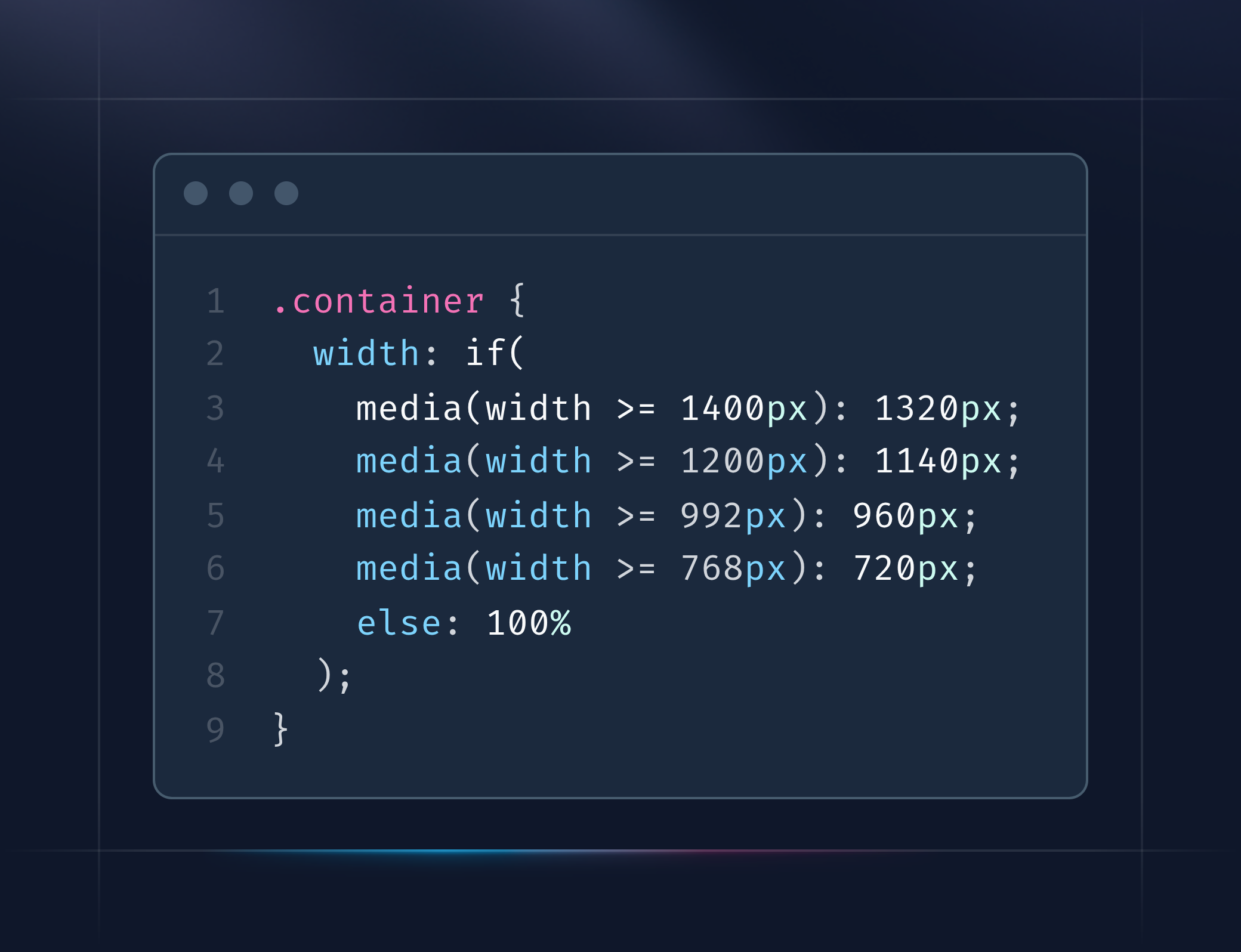
    Responsive Containers Without Media Query Chaos

    .container {
      width: if(
        media(width >= 1400px): 1320px;
        media(width >= 1200px): 1140px;
        media(width >= 992px): 960px;
        media(width >= 768px): 720px;
        else: 100%
      );
    }

    Say goodbye to cluttered media query blocks. Your CSS becomes more fluid and component-driven.

    Browser Support (as of October 2025)

    BrowserSupport
    ✅ Chrome / EdgeVersion 137+
    ✅ Chrome AndroidVersion 139+
    ❌ FirefoxIn development
    ❌ SafariOn the roadmap
    ❌ OperaComing soon

    💡 Tip:

    You can use fallback values for older browsers. For example:

    .button {
      padding: 1rem 2rem; /* fallback */
    
      padding: if(
        style(--size: small): 0.5rem 1rem;
        style(--size: large): 1.5rem 3rem;
        else: 1rem 2rem
      );
    }

    The Future of Conditional CSS

    The CSS Working Group is already exploring next-level features for the if() function, including:

    • Range queries: if(style(--value > 100): ...)
    • Logical operators: if(style(--a: true) and style(--b: false): ...)
    • Container query integration: Bringing deeper contextual awareness to components.

    This means CSS is evolving into a logic-capable language, capable of handling state, layout, and design adaptation, all declaratively.

    Internal Link (for Codeblib)

    • Next.js 16 Performance Checklist: 10 Must-Do Optimizations for Faster Builds and Runtime
    • How to Set Up Serverless Functions in Next.js on Vercel
    • Next.js 16 Parallel Routes Breaking Change: The default.js Fix Explained
    • Mastering Next.js 16 Build Adapters API: The Key to True Self-Hosting and Custom Deployment

    Final Thoughts

    The CSS if() function isn’t just a new syntax, it’s a paradigm shift in how we write styles.
    By embedding logic directly into CSS, developers can reduce JavaScript dependency, simplify responsive design, and build more scalable design systems.

    While browser support is still expanding, the if() function marks the start of a new era in CSS, one that’s smarter, faster, and far more intuitive.

    css
    Share. Facebook Twitter Pinterest LinkedIn Tumblr Email Copy Link
    Unknown's avatar
    codeblib

    Related Posts

    Building a Headless Shopify Store with Next.js 16: A Step-by-Step Guide

    October 28, 2025

    Dark Mode the Modern Way: Using the CSS light-dark() Function

    October 26, 2025

    Voice Search Optimization for Web Developers: Building Voice-Friendly Websites in the Age of Conversational AI

    October 20, 2025

    Voice Search Optimization: How AI Is Changing Search Behavior

    October 19, 2025

    Mastering Advanced Dynamic Sitemap Generation in Next.js 16 for Enterprise SEO

    October 17, 2025

    Next.js 16 Performance Checklist: 10 Must-Do Optimizations for Faster Builds and Runtime

    October 16, 2025
    Add A Comment

    Comments are closed.

    Categories
    • Career & Industry
    • Editor's Picks
    • Featured
    • Mobile Development
    • Tools & Technologies
    • Web Development
    Latest Posts

    React 19: Mastering the useActionState Hook

    January 6, 2025

    Snap & Code: Crafting a Powerful Camera App with React Native

    January 1, 2025

    Progressive Web Apps: The Future of Web Development

    December 18, 2024

    The Future of React: What React 19 Brings to the Table

    December 11, 2024
    Stay In Touch
    • Instagram
    • YouTube
    • LinkedIn
    About Us
    About Us

    At Codeblib, we believe that learning should be accessible, impactful, and, above all, inspiring. Our blog delivers expert-driven guides, in-depth tutorials, and actionable insights tailored for both beginners and seasoned professionals.

    Email Us: info@codeblib.com

    Our Picks

    Top 10 Use-Cases of Aera Browser for Developers

    November 11, 2025

    How Aera Browser Enables No-Code Automation for Marketers

    November 9, 2025

    The AI Browser War: Aera Browser vs Atlas Browser

    November 7, 2025
    Most Popular

    The Future of Progressive Web Apps: Are PWAs the End of Native Apps?

    November 3, 2025

    How Progressive Web Apps Supercharge SEO, Speed, and Conversions

    November 2, 2025

    How to Build a Progressive Web App with Next.js 16 (Complete Guide)

    November 1, 2025
    Instagram LinkedIn X (Twitter)
    • Home
    • Web Development
    • Mobile Development
    • Career & Industry
    • Tools & Technologies
    © 2025 Codeblib Designed by codeblib Team

    Type above and press Enter to search. Press Esc to cancel.